











Why Airport WiFi Fails You — And How to Land Already Connected
TL;DR: Airport WiFi is one of the least reliable connections you'll use all trip. It's often time-limited, capped, plastered with login walls, overloaded by thousands of people, and unsafe for anything sensitive — and it does nothing for you in the one place you need data most: the taxi rank, the train platform, or the walk to your hotel outside the terminal. The reliable fix is to land already connected with a travel eSIM like HOAM, so your phone has data the instant airplane mode goes off — no captive portal, no hunting for a password.
The moment airport WiFi lets you down
Picture the sequence. Wheels touch the tarmac, you switch off airplane mode, and you need to do three things fast: message whoever's picking you up, open your ride app, and pull up the hotel address. Instead you get a spinning wheel, a "Sign in to WiFi" page that won't load, and a growing line of people at passport control who all have the exact same problem.
This is the connectivity gap travelers underestimate the most. You assume the airport has your back because "every airport has free WiFi." Technically true. Practically, airport WiFi is designed to be a courtesy — not a lifeline — and it shows.
Why is airport WiFi so slow and unreliable?
It's not bad luck. Airport WiFi has structural problems baked in:
- Thousands of people, one network. A large terminal can have tens of thousands of travelers online at once. Bandwidth gets split until pages barely load — worst exactly at peak arrival and departure times.
- Time and data caps. Many airports give you 30–60 minutes free, then cut you off or throw up a paywall. Your session can expire mid-task.
- Captive-portal login walls. Before you get online you have to load a sign-in page, accept terms, sometimes watch an ad, or enter an email or phone number. If that portal doesn't pop up (a common iPhone and Android headache), you're stuck with WiFi that's "connected" but useless.
- Registration that wants your personal data. Plenty of airport networks ask for your email, phone number, or even passport details — data you probably don't want to hand over on a public network just to check a map.
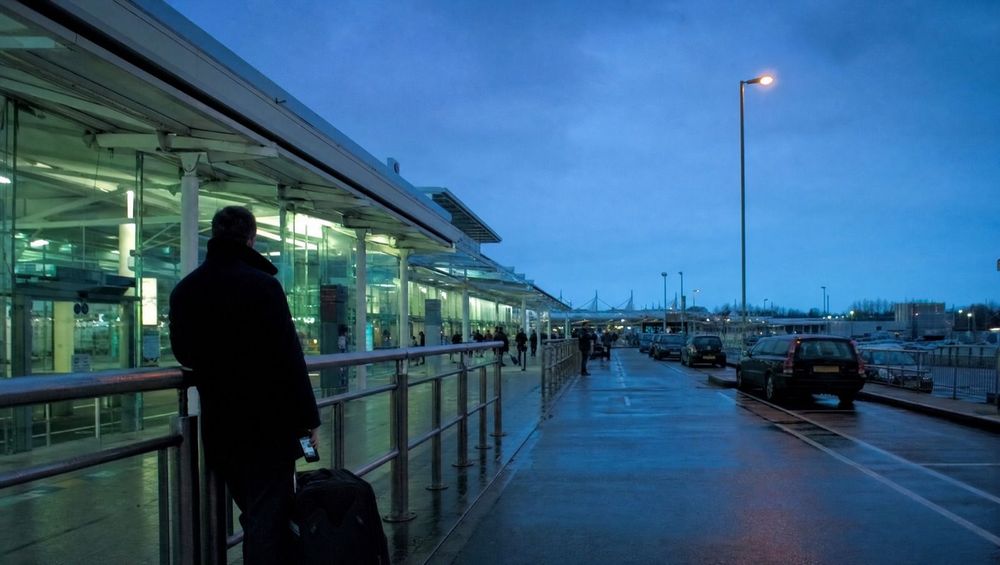
- It stops at the terminal doors. The single most important detail: airport WiFi does not follow you to the curb, the taxi, the rideshare pickup zone, the train, or the bus. The moment you leave the building — precisely when you need directions — you're offline again.
- Public and unsecured. Open airport networks are a classic target for snooping. Logging into your bank or email on one is a genuine risk.
The "arrivals gap": the 30 minutes airport WiFi can't help with
There's a specific, predictable window where airport WiFi is useless by design — call it the arrivals gap. It runs from the second you land to the moment you're settled somewhere with real internet, and it's when you most need to be online:
- On the plane / jet bridge — message your ride or family that you've landed.
- Passport control & baggage — check connecting details, fill in a digital arrival form, show a QR code.
- The curb — open Uber, Bolt, Grab, or a local taxi app to actually book a car. This is outside WiFi range.
- The ride into town — navigate, share your live location, confirm the hotel.
Airport WiFi covers, at best, step 2 — and only if the portal cooperates. Steps 1, 3, and 4 are where trips go sideways: stranded at the curb, unable to book a ride, unable to tell anyone where you are.
How to stay connected at the airport (compared)
| Option | Reliable on arrival? | The catch |
|---|---|---|
| Free airport WiFi | No | Login walls, time limits, congestion, stops at the terminal door, unsafe for sensitive apps. |
| Buy a local SIM at an airport kiosk | Eventually | You have to clear the arrivals gap first to find the kiosk, wait in line, show your passport, and swap SIMs — all while offline. |
| Pay-as-you-go roaming | Sometimes | Works on landing but rates can be brutal, and some plans throttle or block it. The classic surprise bill. |
| Travel eSIM installed before you fly (HOAM) | Yes | Set up at home; connects automatically the second you turn off airplane mode. |
The pattern is clear: every option except a pre-installed eSIM requires you to already be online to solve being offline.
Land already connected with HOAM
The whole problem disappears if your phone simply has its own data the moment you land. That's what a travel eSIM does — and HOAM makes it effortless:
- Set up before you fly. Install once at home over your own WiFi — no app needed, it's web-based. Nothing to configure at the airport.
- Connects the instant you land. Turn off airplane mode and you're online at the gate, at passport control, and — crucially — at the curb and in the car. You sail straight through the arrivals gap.
- No portals, no passwords, no personal data handed to a public network. Your connection is your own.
- One eSIM for the whole trip and the next one. Install once, reload forever — including multi-country trips on a single eSIM, so a connecting airport in another country is covered too.
- 24/7 human support if you ever need a hand — a real person, any time zone.
Booking a ride from the jet bridge instead of fighting a login page at baggage claim is a small thing that changes the entire start of a trip.
A quick pre-flight checklist
- ✅ Install your travel eSIM before you leave home, on your own WiFi.
- ✅ If it's a multi-country trip, make sure every destination — including layover airports — is on the eSIM.
- ✅ Turn on the eSIM's data line before you fly, so it's ready when airplane mode goes off.
- ✅ Keep your ride app, hotel address, and any arrival QR codes saved or screenshotted, just in case.
- ✅ Skip logging into banking or email on open airport WiFi — use your own eSIM data instead.
Preguntas frecuentes
Why isn't the airport WiFi login page loading?
Captive portals often fail to pop up automatically on phones. You can sometimes force it by opening a plain http site in your browser — but the more reliable fix is to not depend on airport WiFi at all and use your own eSIM data.
Does airport WiFi work outside the terminal, at the taxi or rideshare pickup?
No. Airport WiFi generally stops at the terminal building. The curb, the pickup zone, and the road into town are outside its range — which is exactly where you need a ride app and maps.
Is it safe to use my banking app on airport WiFi?
It's risky. Open public networks are a known target for snooping. Use your own eSIM or mobile data for anything sensitive.
Should I buy a SIM at the airport instead?
You can, but you have to get through the "arrivals gap" offline first — find the kiosk, queue, show your passport, and swap SIMs. An eSIM installed before you fly means you're connected the moment you land.
How do I get internet immediately when I land abroad?
Install a travel eSIM like HOAM before your flight. When you turn off airplane mode after landing, it connects automatically — no WiFi login, no kiosk, no SIM swap.
Will one eSIM cover a layover in a different country?
With a dynamic eSIM like HOAM, yes — add each country, including your connecting airport, to the same eSIM so you're covered through every stop. *Don't start your trip fighting a WiFi login page. [Set up a HOAM eSIM before you fly](https://hoamesim.com) and land already connected — at the gate, at the curb, and all the way to your hotel. Land & go.* <!-- FAQ STRUCTURED DATA — paste into the page <head> to help AI search engines and Google surface these answers --> ```json { "@context": "https://schema.org", "@type": "FAQPage", "mainEntity": [ { "@type": "Question", "name": "Why isn't the airport WiFi login page loading?", "acceptedAnswer": { "@type": "Answer", "text": "Captive portal sign-in pages often fail to pop up automatically on phones. You can sometimes force it by opening a plain http site in your browser, but the reliable fix is to not depend on airport WiFi and use your own travel eSIM data instead." } }, { "@type": "Question", "name": "Does airport WiFi work outside the terminal at the taxi or rideshare pickup?", "acceptedAnswer": { "@type": "Answer", "text": "No. Airport WiFi generally stops at the terminal building. The curb, the pickup zone, and the road into town are outside its range, which is exactly where you need a ride app and maps." } }, { "@type": "Question", "name": "Is it safe to use my banking app on airport WiFi?", "acceptedAnswer": { "@type": "Answer", "text": "It is risky. Open public networks are a known target for snooping. Use your own eSIM or mobile data for anything sensitive." } }, { "@type": "Question", "name": "How do I get internet immediately when I land abroad?", "acceptedAnswer": { "@type": "Answer", "text": "Install a travel eSIM like HOAM before your flight. When you turn off airplane mode after landing it connects automatically, with no WiFi login, kiosk, or SIM swap." } }, { "@type": "Question", "name": "Will one eSIM cover a layover in a different country?", "acceptedAnswer": { "@type": "Answer", "text": "With a dynamic eSIM like HOAM, yes. Add each country, including your connecting airport, to the same eSIM so you are covered through every stop." } } ] } ```